No Checkout Yet Pocket+
She mined, you printed, she never placed the Seller Center order. Every store has a few every live. The app keeps them in one place so nobody is forgotten — and so a buyer who keeps doing it gets flagged as a Joy Miner.
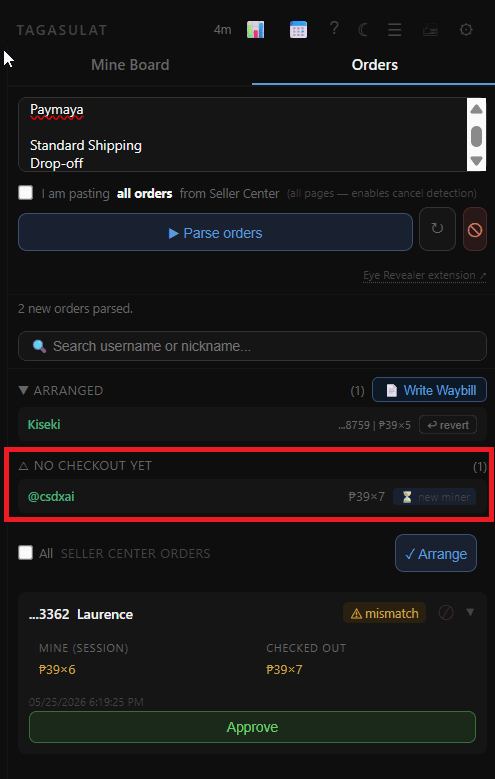
Where they show up
PC, during and after the live: the No checkout yet section in the Orders tab. Once you paste your Seller Center orders, everyone on the board without a matching order lands here.
Phone, after the live: the No Checkout rows in After-Live on the dashboard.
Next live, both: anyone still unsettled comes back onto the board as a carry-over (↩ prev), items included, so she can pay this time.
Packed means paid. If her parcel was scanned with Scan to Pack after that live, she is settled for you — After-Live shows Packed ✓ — scanned (date) by (who), she doesn't come back as ↩ prev, and she's OLD next time. Even mid-live: a carry-over whose parcel gets scanned leaves the board by itself within a minute or two. Only a parcel scanned under a different username still needs your tap.
What you can do with each one
✓ Checked out — she paid after all (late order, or you found it). PC: right-click the entry. Phone: ⋯ on her carry-over card, or Approve in After-Live.
Following Up (PC) / 💬 Messaged (After-Live) — a note that you've chased her. Just a note: she still carries over.
📌 Keep — you've agreed she'll pay later, by GCash, or pick up. Counts as settled; no Joy Miner strike. Keep Items →
☠️ Re-Live — you're reselling the item. She's off the board and it counts as a miss.
Do nothing — she carries over again and again, and her misses add up.