Starting a Live Pocket+
Every TikTok live you run is one live in the app: it holds every mine, every label and every carry-over for that stream. Start it in the app before the moderator starts pinning — pins that arrive before that aren't recorded.
The first time, open ⚙️ Settings → TikTok handle and enter your TikTok username — exactly as it is on your profile, no @. This is how the cloud knows which live to listen to.
Start your live on TikTok, then tap ▶ Go Live at the top of the board. Give it up to 2 minutes to connect; buyers who haven't checked out from last time appear on the board with a ↩ mark.
If a live from earlier today is still open, you'll see "Which live is yours?" with the last few buyers of each — Continue it or Start new. If the PC has it open, the phone tells you, and you end it on the PC first.
When you're done, tap ■ End Live. It shows what's still open — orders not yet arranged, buyers with no checkout — and asks you to confirm. The cloud stops listening and your After-Live list is prepared.
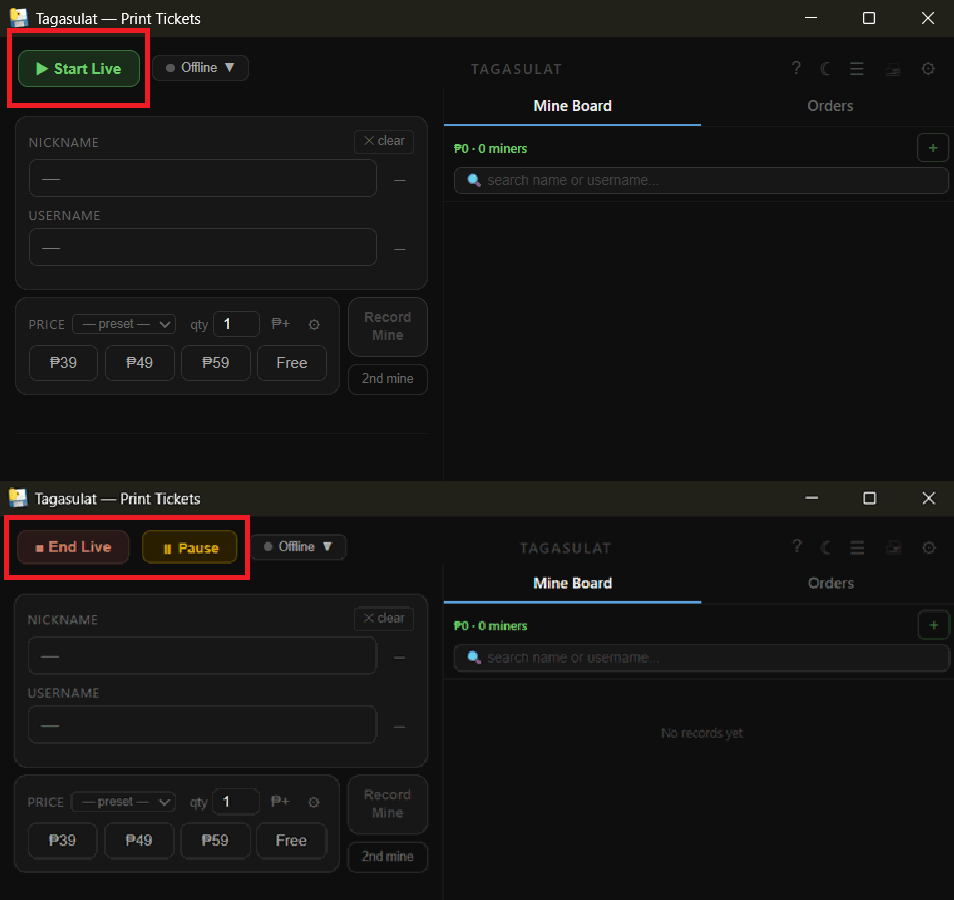
Open Tagasulat and sign in with your Mimasaur account. Check the host username in the top bar is your TikTok username.
Buyers who haven't checked out from the last live load onto the board automatically, marked as carry-overs.
Click ▶ Start Live. The board activates and the app starts listening for pins — the dot in the bottom bar turns green once your TikTok live is up.
Go live on TikTok. When the moderator pins a buyer's comment, that buyer appears on the board within a second or two.
Click ■ End Live when you're done. The summary appears and carry-overs are prepared for next time.