Order Status Pills Basic+
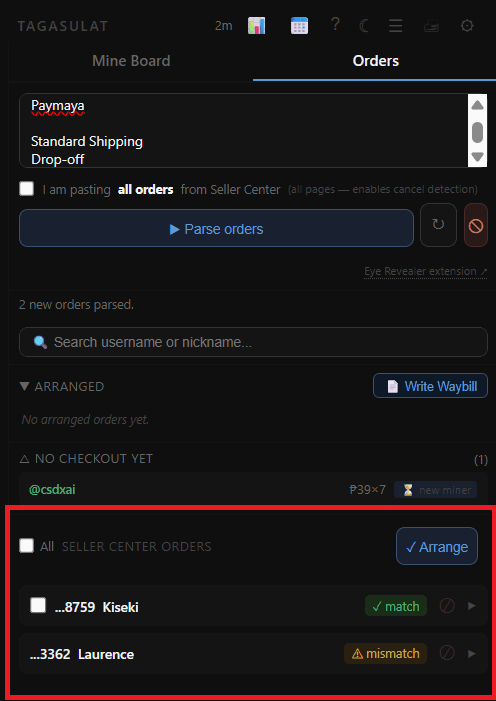
After pasting and parsing your Seller Center orders, each row shows a colored status pill. The pill tells you whether the order matched a buyer on your mine board and what action — if any — you need to take.
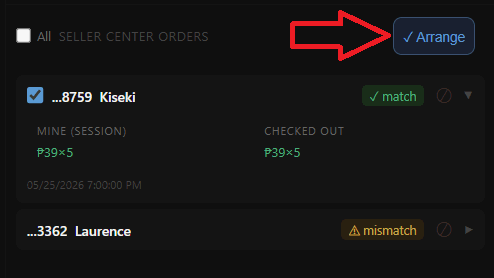
Exact Match — The buyer's username in Seller Center matches a buyer on your mine board exactly. No action needed. This order is ready to arrange.
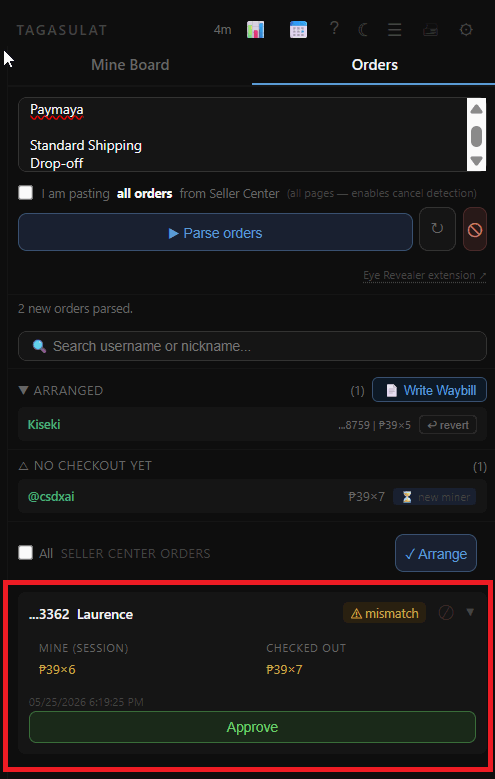
Mismatch — The buyer was found on your mine board, but their Seller Center order details don't match what was mined — for example, a different quantity or price. You need to review and approve → before this order can be arranged.
Not in Session — This order has a buyer that doesn't appear anywhere on your mine board. It may be from a different live, a buyer who ordered without mining, or a data error. Review it manually before deciding what to do.
Duplicate / Already Arranged — This order has already been processed in a previous parse. No action needed — it should not be arranged again.