Writing Names on Waybills Pro
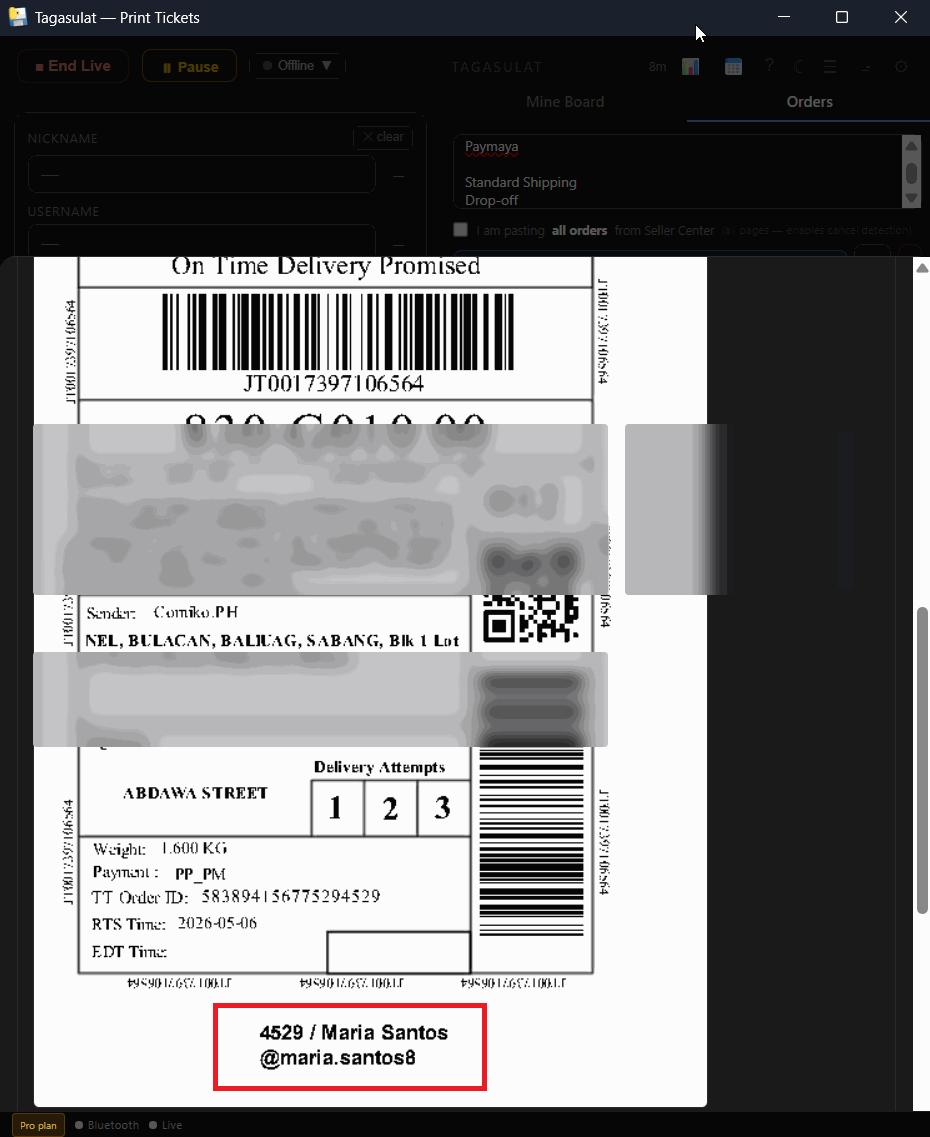
The courier's waybill shows an order number and an address — not who mined what. Before you pack, the app writes the buyer's nickname and the last 4 digits of the order onto each waybill page for you, so the packer can match parcels to the mine board at a glance. It also adds summary pages at the end: who is settled, who is still pending, and who mined but never checked out.
Lives inside Tagasulat on your phone, so your labels keep printing while you work on the waybills. You can do this mid-live — as soon as orders start coming in — or after.
Download the waybill PDF from Seller Center to your phone (the same file you'd send to the printer).
In Tagasulat on your phone, tap the 📝 Waybill tab at the top, then Tap to choose the waybill PDF and pick the file.
Tap ✍ Write names on waybills. In a few seconds you'll see how many pages got a name, how many had no match, and the total. Leave Add the summary pages ticked unless you don't want them.
Tap ⬇ Download finished PDF (or Share… to send it straight to the PC or the printer app). Phones can't print to a thermal printer by themselves — print the PDF from wherever you normally print waybills.
Download the waybill PDF from Seller Center.
In the Orders tab, find the Arranged section and click 📄 Write Waybill. Then 📁 Choose PDF file… and pick the download.
The app writes the names and shows the count: Pages annotated, No match (left blank), Total pages. Check the preview.
Pick the printer in the dropdown and print, or click ↓ Save annotated PDF to keep the file. The summary pages come out after the waybills.