On the phone too. Everything on this page works the same in Tagasulat on your phone — the 📋 Orders tab (Pro): paste, match, review the pills, approve, arrange. Where this page says click, tap. ↶ undoes your last change to the orders, and it all works mid-live.
Arranging Orders Basic+
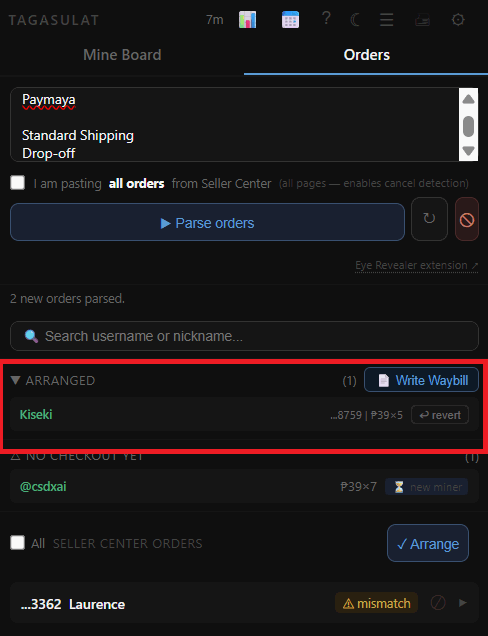
Arranging means marking your orders as packed and ready for courier pickup. Once you arrange an order in Tagasulat, it's flagged in the system and included in your waybill. Only Exact Match and Approved orders can be arranged.
1
Make sure all Mismatch orders have been reviewed and approved → Not-in-Session orders that you're not processing should be left as-is.
2
Select the orders you want to arrange. You can select individual rows or use Select All Ready to grab every Exact Match and Approved order at once.
3
Click ✓ Arrange. Tagasulat marks these orders as arranged and they're now ready for waybill generation.
4
Proceed to write the names on your waybills →
Arranging in Tagasulat does not automatically push the status to Seller Center. Make sure you also mark the orders as arranged in Seller Center separately if your courier requires it.