Running Payroll Step by Step Pro / Solo
Payroll in Sweldo is three clicks apart: Generate computes the numbers from attendance, Approve locks the lines once you've checked them, and Release makes the payslips visible to employees. You edit between Generate and Approve.
Step 1 — Choose the period
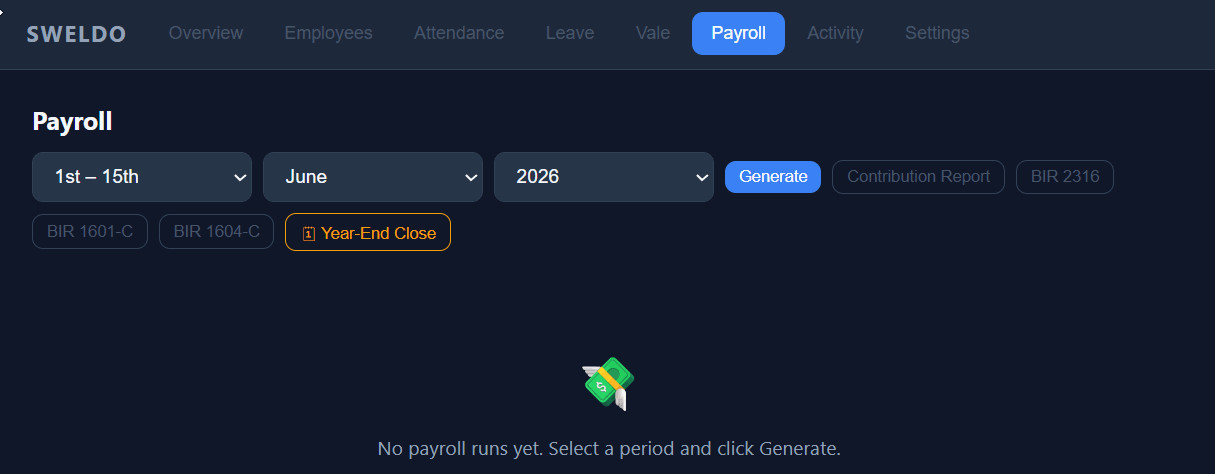
Open the Payroll tab. Select the month and year.
Select the cutoff period:
- 1st – 15th — covers work from the 1st to the 15th of the month
- 16th – End of Month — covers the 16th to the last day of the month
Philippine labor law typically requires semi-monthly payroll (twice a month). Run payroll twice per month — once for each cutoff.
Step 2 — Generate
Click Generate. Sweldo reads every time log, approved OT, approved leave, vale balance, and allowance for each active employee within the selected period, then computes a payroll line for each person.
A table appears showing one row per employee. Each row shows days present, hours worked, base pay, deductions, gross pay, and net pay. The Total Net at the bottom is the total amount you'll pay out.
Step 3 — Review and edit
Review each employee's row. If anything looks wrong — wrong hours, missing OT, incorrect tax — you can edit the line directly. See Editing Payslip Lines →
If you add 13th month pay or holiday pay for specific employees, enter those in the editable fields. See Editing Payslip Lines → for details.
Step 4 — Approve, then Release
When you're satisfied with all the lines, click Approve — the run is locked. Then Release: payslips become visible to employees in their staff portal. Export CSV gives you the run as a spreadsheet at any point.
Print or download payslips as PDFs for your records and to distribute to employees. See Printing Payslips →