Support Message Template Basic+ PC
When you need to message a buyer — to remind them to check out, confirm a mismatched order, or follow up after a live — you don't want to retype the same thing every time. The support message template lets you write it once with placeholders, and Tagasulat fills in each buyer's details automatically.
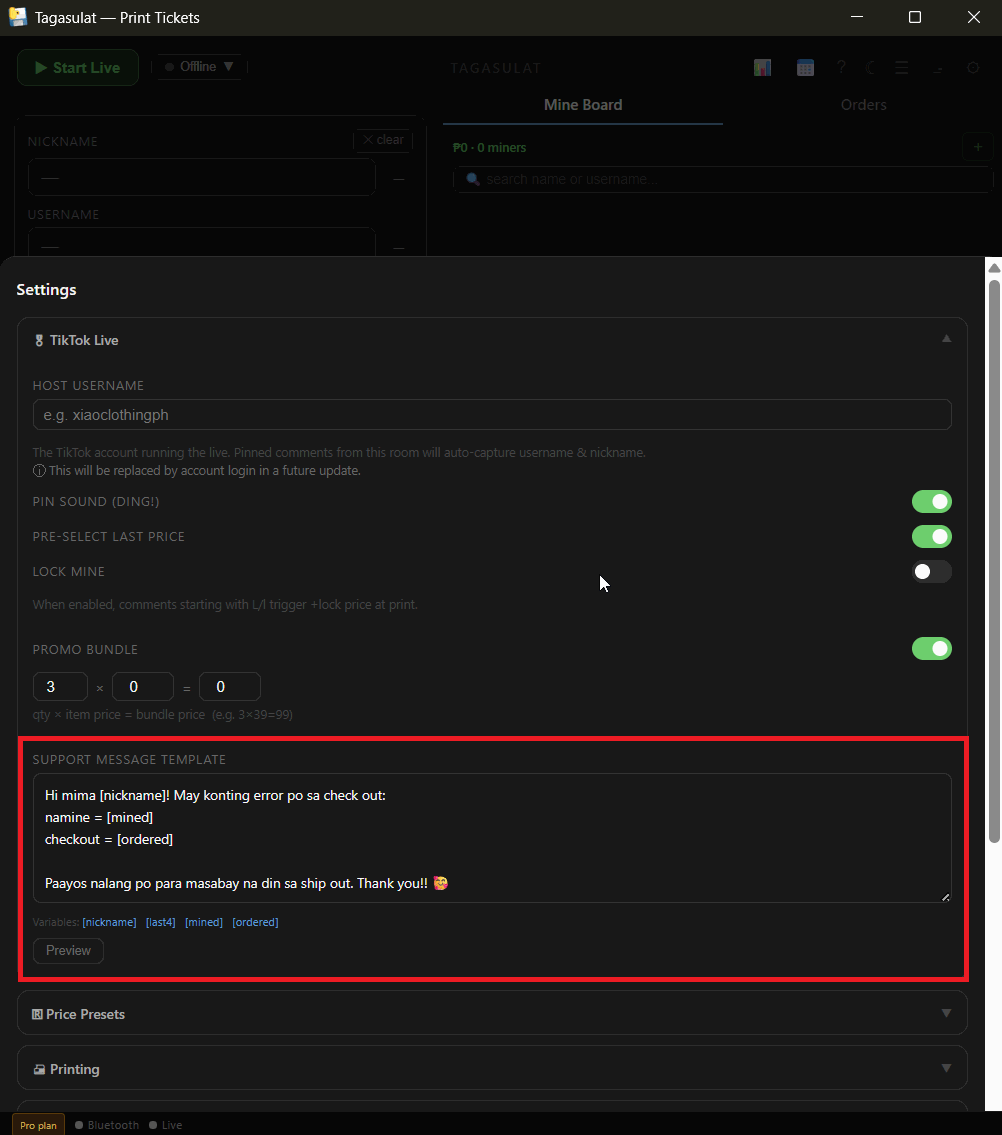
Open Settings and find the Support message template field. Type the message you usually send buyers.
Drop in any of these placeholders where you want the buyer's details to appear:
[nickname]— the buyer's nickname[last4]— the last 4 digits of their order ID[mined]— what they mined during the live[ordered]— what their Seller Center order actually contains
Click Preview to see the message filled in with sample data, so you can check the wording before you use it.
When you message a buyer (for example from a mismatch or a no-checkout follow-up), the template is generated for that specific buyer — ready to copy and send.
[mined] and [ordered] placeholders are especially useful for
mismatch follow-ups → — the buyer can see exactly what they won versus
what they checked out, with no manual typing on your end.