Blacklist Basic+
Buyers who shouldn't be allowed to mine — never pay, refuse deliveries, cause trouble. When a blacklisted buyer is pinned, the app warns you before anything prints, and auto-print skips her. You decide. The list is saved to your store and shared by every device you sign in on.
From the board: tap ⋯ on her card → 🚫 Blacklist. Pick a reason (did not pay, refused delivery, fake order, abusive, chargeback, other) and add a private note if you like.
When she's pinned again: the pin banner shows the blacklist warning and nothing prints by itself. Print anyway, or skip the pin.
To see or edit the list: 📦 Others → 👥 Buyers. The 🚫 Blacklist section lists everyone; ➕ Add adds a username by hand; tap an entry to remove her.
From the board: right-click her row → 🚫 Blacklist username.
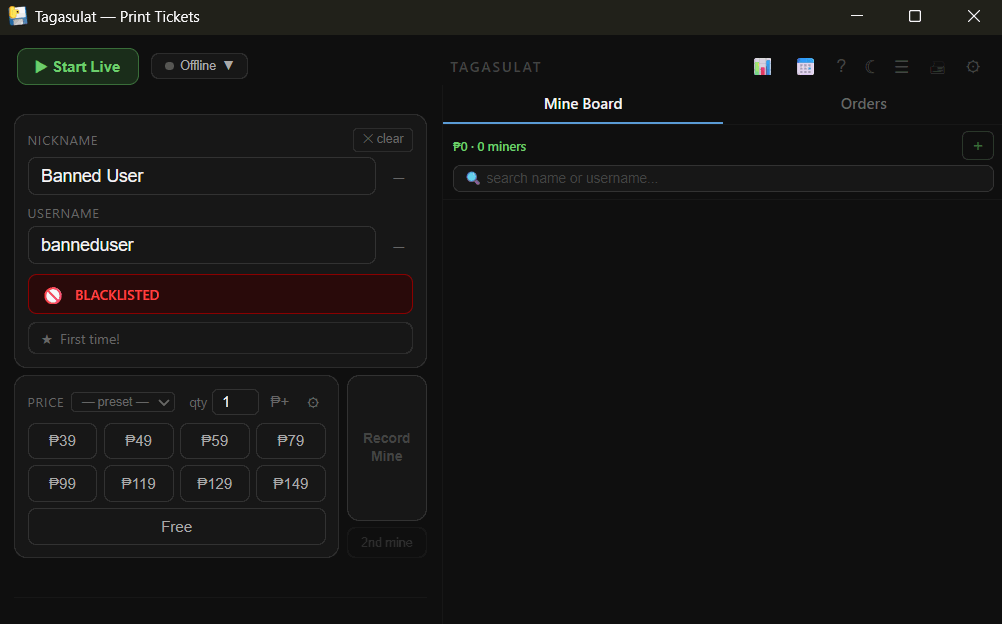
When she's pinned again: a red BLACKLISTED bar appears under her name in the form. The app doesn't block you — you choose whether to print.
To see the list: Records → Buyers, the Blacklist card. Remove anyone who should be allowed back.