Screenshot on Pin Pro PC only
When Screenshot on Pin is enabled, Tagasulat automatically takes a screenshot every time a buyer pin is captured. The screenshot captures what's on your screen at that exact moment — useful for documenting the live comment that triggered the mine, especially for dispute resolution.
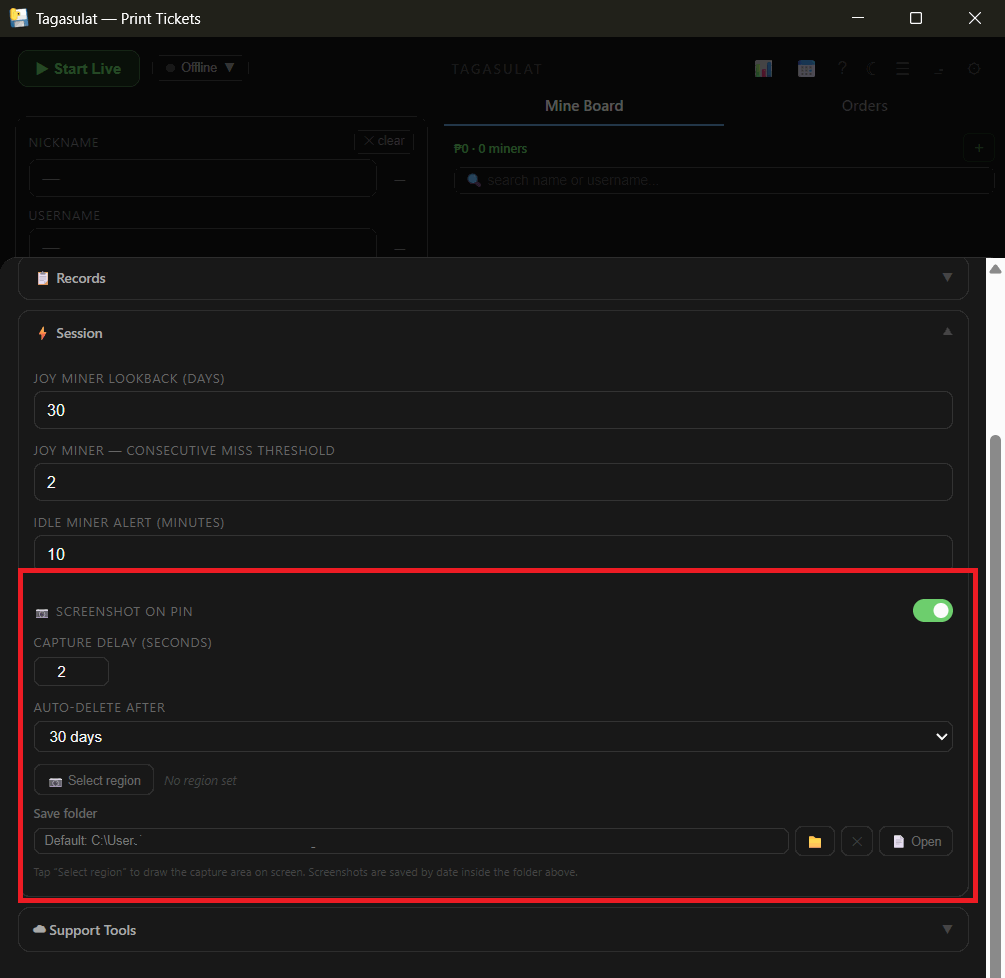
Go to Settings → ⚡ Session and switch on 📷 Screenshot on pin.
Click 📷 Select region and drag a box around the part of the screen you want kept — usually the TikTok comment area. Set the Capture delay (0 = the instant the pin lands) long enough for the pinned comment to be on screen.
Screenshots go to Documents → Tagasulat → screenshots, one folder per store and per day, named by time and buyer — so a dispute is settled by opening the picture next to her name.